Antivrus Clean: Virus & Junk
- 3.7
- Rating
- 5.00M
- Installs
- Free
- Price

 Analysis by App-foxy
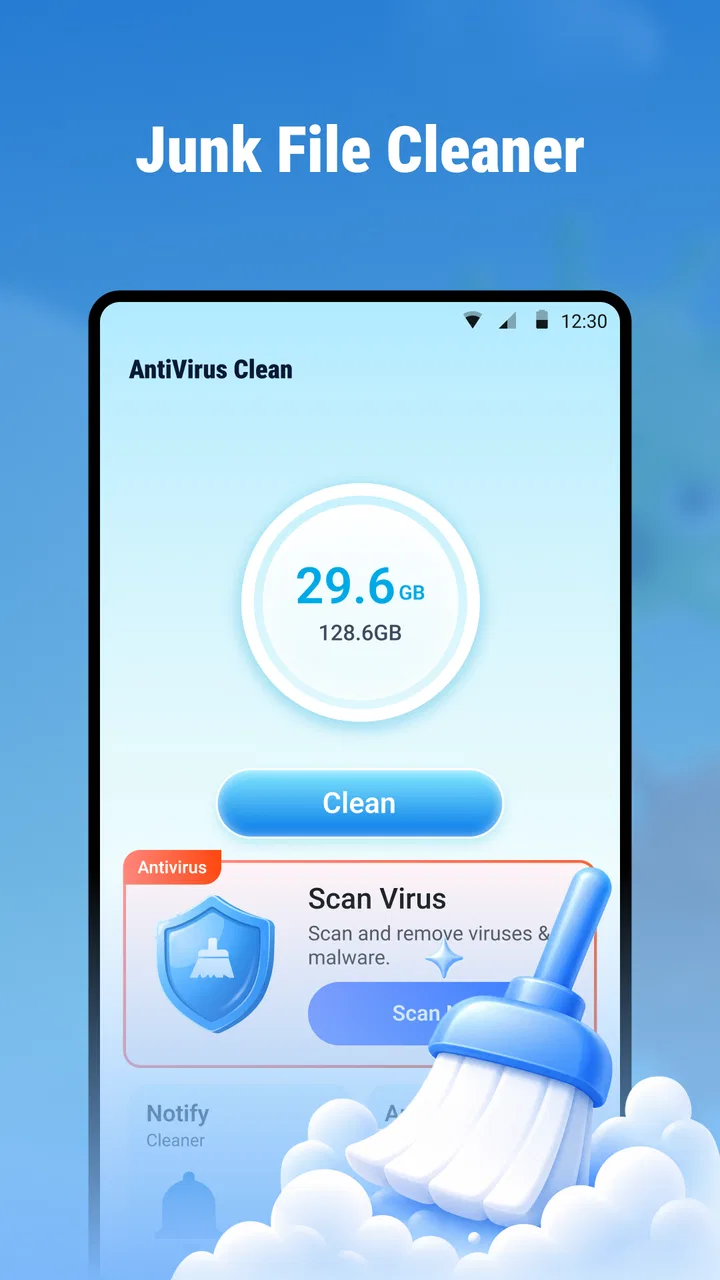
Antivrus Clean: Virus & Junk is a free tools app from Eduspot that aims to combine mobile security and storage cleanup in one place. I approached it as the kind of utility you install when your phone feels slower, storage warnings start appearing, or you want a quick check before deciding whether a more involved cleanup is necessary. Its first impression is easy to understand: it is built around the promise of dealing with unwanted files and possible threats without asking you to pay before trying it.
That simplicity is the main reason it may attract people during the first week. A single-purpose cleaner can feel useful immediately, especially for someone who does not want to explore Android’s storage menus or install separate tools. However, the more important question is what happens after the initial scan. A cleaner earns a permanent place on my phone only when it helps me maintain the device without creating new work, unnecessary worry, or repeated decisions. My experience with this app is therefore less about the novelty of tapping a scan button and more about whether that action remains worthwhile over time.
What the first week feels like
The app belongs to the tools category, and that is a good description of its role. It is not trying to be a social platform, a file manager for advanced users, or a full replacement for every security setting on Android. Its appeal comes from convenience: open one utility, look for junk, and use its antivirus-oriented function when you want reassurance. For a new user, that focused purpose is easier to grasp than a crowded dashboard filled with unrelated phone-management features.
You May Also Like

 Blood Strike: 2.5 Anniversary
Blood Strike’s Loadouts Turn Every Drop Into a Tactical Gamble
A close look at Blood Strike’s custom loadouts: how fast access to signature weapons reshapes its battle royale rhythm, rewards preparation, and narrows the gap between fights.

 Pandora - Music & Podcasts
Pandora’s Music Is Easy to Start, but Harder to Recover
Pandora’s strength is its low-effort path from a seed to a station. Its weak spot is how much confidence it asks you to place in connection, setup, and quiet recovery.

 8 Ball Pool
 Is Built on Rivalries, Rematches, and Routine
A close look at the rivalries, rematches, shared routines, and unanswered safety questions that turn a quick pool match into a persistent mobile community.

 Samsung Music
’s Quiet Strength Is Playing What You Already Own
Its reach comes less from spectacle than from dependable access to a personal library. That simplicity is both the app’s strongest retention engine and its ceiling.

 AccuWeather: Weather Radar
AccuWeather Review: A Quick, Clear Forecast for Everyday Decisions
For everyday plans, the best forecast is the one you can understand quickly. AccuWeather makes rain timing, radar, and local conditions easy to act on, with a few trade-offs.

 Hill Climb Racing
Why Hill Climb Racing Still Turns Crashes Into One More Run
A tiny car, a bumpy hill and one more upgrade: Hill Climb Racing keeps resurfacing because its simple chaos makes every near-miss feel personal.
More From Our News Desk



I would recommend starting with a review rather than immediately treating every suggested item as disposable. Cleanup apps can surface files that look unnecessary but still have practical value, such as offline media, downloaded documents, or cached content that an app will simply recreate. My useful first-week habit would be to inspect the categories carefully, remove only items I recognize, and then check whether the phone actually feels easier to use. The point is not to make the largest deletion possible; it is to make a safe, noticeable improvement.
The antivirus side deserves the same measured approach. A scan can be reassuring, but a clean result should not encourage careless downloading or replacing basic security habits. I still keep Android updated, install applications from trusted sources, and review an app’s purpose before granting access. A mobile cleaner is a maintenance aid, not a substitute for sensible phone security. That distinction matters because the word “antivirus” can make a utility seem more comprehensive than it really is in everyday use.
Antivrus Clean is free and carries an Everyone age rating, which makes it approachable for households looking for a straightforward utility. Eduspot’s app has reached over one million installs, while its average rating is 3.9 from around one and a half thousand ratings. Those figures suggest that many people are willing to try the basic idea, but they do not guarantee that every phone will receive the same benefit. Storage problems vary greatly depending on whether a device is used for video, photography, messaging, games, or work files.
One practical scenario is a phone used heavily for messaging. After months of receiving images, short videos, and forwarded documents, the owner may know that storage is being consumed but not where to begin. A focused scan can provide a starting point, particularly for someone who finds manual browsing tedious. I would still open the suggested results one group at a time. In this situation, the app is most valuable as a sorting assistant: it helps turn a vague “my phone is full” problem into a list that can be reviewed.
Another useful first-week situation is preparing a phone before a trip. I might remove clearly disposable leftovers, make sure there is room for photos and maps, and run a security check before relying on the device away from home. The advantage is not that the app magically transforms the phone; it is that a short maintenance routine can expose avoidable clutter before it becomes inconvenient. That is a modest benefit, but it is more realistic than expecting a cleaner to repair every performance issue.
Where the early convenience is strongest
The combined focus on junk and viruses is more convenient than switching between unrelated utilities. If I want a quick check, I do not need to remember which application handles storage and which one handles security. This matters for less technical users, older relatives, or anyone who wants a simple routine rather than a lesson in Android file management. The free entry point also makes experimentation easy, because there is no purchase decision required before discovering whether the workflow suits a particular phone.
There is a trade-off, though. A simple interface can hide important choices. When a tool presents a large amount of detected clutter as one problem, users may feel encouraged to clean everything at once. I prefer a slower workflow: scan, inspect, delete obvious temporary material, and leave anything whose purpose is unclear. That approach reduces the chance of removing something I later need, and it also gives a more honest sense of what the app is accomplishing.
People often ask whether a cleaner can make an old phone fast again. I would set expectations carefully. Removing unnecessary files may free space and make storage management less stressful, but it cannot upgrade aging hardware, fix a weak battery, or solve an application that is poorly behaved. If the phone is slow because of a failing battery, a system update, heavy background activity, or a problematic app, a cleanup scan is only one small part of the diagnosis. The app is best viewed as a maintenance tool, not a universal performance repair.
Does it earn a place after the first month?
The first scan is naturally the most satisfying because it can reveal a backlog. The month-to-month question is harder: after the obvious clutter is gone, what reason remains to return? In my view, the answer depends on how often the phone accumulates disposable material and how comfortable the owner is with Android’s built-in storage controls. Someone who takes many photos, downloads files frequently, or receives a constant stream of media may find recurring value. Someone with generous free storage and disciplined file habits may quickly stop needing it.
I would not schedule a cleaning ritual simply because the app exists. A better pattern is to connect its use to a real trigger: a storage warning, a long period of heavy downloading, preparation for travel, or a noticeable increase in unwanted files. This avoids turning maintenance into a pointless weekly chore. It also protects against the common mistake of clearing data too aggressively. If the phone is working normally and storage remains comfortable, there may be no meaningful benefit in cleaning again immediately.
For regular use, the most helpful workflow is selective rather than automatic in spirit. I would first check large items, then review duplicate-looking or temporary material, and finally consider anything connected to apps I no longer use. Large personal files deserve special care because a cleaner’s suggestion does not tell me whether I still value the content. A downloaded video may be expendable, but a document with a similar filename may not be. This is where user judgement remains more important than the scan itself.
A less obvious benefit is psychological rather than technical. A clear list of possible clutter can help someone develop better storage habits. After seeing how quickly messaging media or downloads build up, I may start reviewing those folders directly and stop treating the phone as an endless archive. In that sense, the app can be useful as a prompt for learning what consumes space. The long-term value is stronger when it teaches better decisions instead of becoming the only explanation for why storage fills.
At the same time, the app should not become a reason to delete caches constantly. Caches exist to help applications load content efficiently, and clearing them can lead to temporary re-downloading. If I notice that an app repeatedly rebuilds a large cache after cleaning, the apparent space saving may not last. That is an important month-to-month trade-off: a cleanup action can feel productive while producing little durable improvement. I would judge the result by available space and everyday behavior later, not by the size of a single scan result.
Its current version is 1.0.0.6, and the app requires Android 8.0 or newer. That makes it relevant to a broad range of Android phones still in regular use, but I would pay attention to how it behaves on an older device rather than assuming that a lighter utility will always feel light. Older phones often have slower storage and less spare memory, so any scan may feel more noticeable there. The sensible test is whether the app completes its job without becoming another source of sluggishness.
Who benefits from recurring use
I see the strongest long-term fit for people who want a guided starting point. They may not know which folders are safe to inspect, may dislike navigating system settings, or may prefer one familiar maintenance screen. It can also suit a shared household phone where several people download content and no one person regularly manages storage. In those cases, a periodic review can prevent the device from reaching an uncomfortable storage limit.
I am less convinced it deserves permanent space on a phone managed by an experienced Android user who already checks storage through system settings, keeps downloads organized, and uses trusted security practices. That person may gain more control from built-in tools because they can see exactly where files live and decide what to remove without an extra layer. A dedicated cleaner is not automatically better simply because it combines several tasks.
Users with sensitive work files should also adopt a cautious review process. A scan can make cleanup easier, but convenience should not replace checking filenames, locations, and ownership. I would never approve a broad deletion pass on a work phone just to save a few taps. The app may help identify candidates, but the final decision belongs with the person responsible for the data. That is especially true when several accounts or people use the same device.
Maintenance burden and everyday friction
The biggest maintenance burden is not necessarily operating the app; it is deciding whether its suggestions are safe. Every cleaner creates a small review obligation. If the results are clear and well grouped, that burden is manageable. If I must investigate every item, the promised convenience starts to disappear. Since the app’s core appeal is speed, the quality of this decision-making experience matters more to me than having a long list of tools.
There is also a risk of notification fatigue with any utility that encourages repeated checks. I do not want a phone-maintenance app to become a constant reminder that my device is imperfect. A useful routine should be occasional and purposeful. If the app makes me feel that I must scan every day, I would step back and ask whether it is solving a real problem. Storage and security are important, but not every small change requires immediate intervention.
The antivirus label can create another kind of friction: uncertainty about what a result means. A warning may deserve attention, but I would want to understand the affected application or file before removing anything. I would avoid treating a scan result as proof that a phone is unsafe until I had reviewed the context. This is not a criticism unique to one product; it is a general rule for security utilities. Clear recommendations are helpful, while unexplained urgency can make ordinary maintenance feel alarming.
Battery and performance expectations should also remain realistic. Running a scan is an active task, and I would choose a convenient moment rather than starting one when I need the phone immediately. On a newer device, this may be barely noticeable; on an older phone, it could be more intrusive. I would not keep the app open in the background merely because it offers maintenance functions. The lasting value should come from occasional, deliberate use rather than constant activity.
Compared with Android’s built-in storage tools, this app’s likely advantage is approachability. A dedicated cleaner can present the task in friendlier language and bring security and cleanup into one destination. Android’s own controls, however, are often the better choice when I need precise knowledge of an app’s storage, permissions, or data. Built-in options also reduce the number of installed utilities. My choice would depend on whether I value guidance more than granular control.
Compared with a standalone antivirus product, the balance is different again. A specialized security application may be preferable for someone who wants a deeper security-focused workflow, while Antivrus Clean is more appealing to someone whose immediate concern is a mixture of clutter and basic threat checking. I would not install several overlapping cleaners at once. They can duplicate work, compete for attention, and make it harder to know which result to trust. One modest tool used carefully is better than a pile of utilities performing similar scans.
Small habits that make the app more useful
My first tip is to take a mental snapshot of storage before cleaning. I would note which categories are currently causing trouble, then check them again later. This prevents me from confusing a large scan number with lasting improvement. If the same category fills rapidly, the real solution may be changing a download habit or reviewing a particular messaging app rather than repeating the cleaner.
My second tip is to separate private files from disposable material before starting. Important photos, travel documents, and work attachments should already be backed up or clearly identified. That preparation makes the scan less stressful and reduces the temptation to approve a broad cleanup just because the phone is low on space. It also turns the app into a controlled maintenance step instead of an emergency button.
My third tip is to use the antivirus function as a checkpoint after installing something unfamiliar, not as permission to ignore source quality. If I regularly download applications from questionable locations, no cleaner can make that habit safe. I would combine the scan with reviewing what I installed, removing apps I no longer recognize, and keeping the operating system current. The app is more useful when it supports those habits rather than replacing them.
A fourth practical insight is to measure success by reduced friction. If I can find files faster, keep enough room for the next important download, and feel confident about what remains on the phone, the app has done its job. If it only produces a dramatic-looking list that I do not understand, I would stop using it. A maintenance tool should simplify ownership, not turn ordinary storage management into a recurring puzzle.
My long-term verdict
Antivrus Clean: Virus & Junk makes the strongest case during moments of uncertainty: the phone feels cluttered, storage is tightening, or I want a convenient security-oriented check without paying. Eduspot has kept the concept focused, and the free price lowers the barrier for people who want to test that approach. Its Everyone rating and support for Android 8.0 or later also make it accessible to many everyday users.
Still, I would not recommend keeping it automatically on every phone. The app earns lasting space when it replaces confusion with a manageable review routine. It is less compelling when the owner already understands Android storage, maintains files carefully, and prefers system-level control. In those cases, built-in tools may be clearer and lighter because they remove an extra layer between the user and the device.
My final recommendation is to try it with a selective mindset. Use the first scan to learn what is occupying space, examine suggested deletions instead of approving everything, and return only when a real maintenance need appears. If that process saves time and helps you avoid storage surprises, the app can remain a practical companion. If it creates more alerts, uncertainty, or repeated work than it removes, uninstalling it is a reasonable outcome.
In short, this is not an app I would treat as a permanent cure for slow phones or a complete security strategy. I see it as a convenient, occasional assistant for people who want cleanup and basic antivirus-oriented checking together. Its lasting value depends on disciplined, occasional use rather than the excitement of the first scan. For the right user, that is enough to justify a place on the phone; for a confident Android user, the usual built-in alternatives may be the better long-term choice.
FAQs for Antivrus Clean: Virus & Junk
01What features does Antivirus Clean: Virus & Junk offer to protect my device?
Antivirus Clean: Virus & Junk provides comprehensive protection with features like real-time virus scanning, malware detection, and removal. It also includes a junk cleaner to boost device performance by removing unnecessary files. Additionally, the app offers privacy protection tools to safeguard sensitive information and optimize battery usage.
02Is Antivirus Clean: Virus & Junk easy to use for beginners?
Yes, Antivirus Clean: Virus & Junk is designed with a user-friendly interface that makes it accessible for users of all levels. The app offers guided setups and easy-to-understand instructions to ensure that even beginners can navigate its features effortlessly. The intuitive dashboard provides quick access to all tools.
03How does the junk cleaning feature improve my device's performance?
The junk cleaning feature in Antivirus Clean: Virus & Junk enhances device performance by identifying and removing cache files, residual files, and other unnecessary data that accumulate over time. This process frees up storage space, increases speed, and can extend battery life, ensuring your device runs smoothly.
04Does Antivirus Clean: Virus & Junk affect my device's battery life?
Antivirus Clean: Virus & Junk is optimized to efficiently perform scans and cleanups without significantly affecting battery life. The app includes a battery-saving feature that monitors and manages background processes, ensuring that your device maintains optimal performance and battery longevity during its operation.
05Is there a cost associated with using Antivirus Clean: Virus & Junk?
Antivirus Clean: Virus & Junk offers a free version with essential features, but for advanced tools and additional protection, there is a premium version available. The premium subscription includes enhanced security features, ad-free experience, and priority customer support. Users can choose based on their security needs and budget.
Pros
- Efficient virus scanning and removal.
- Intuitive and user-friendly interface.
- Regular updates for enhanced security.
- Boosts device performance effectively.
- Lightweight app
- minimal battery drain.
Cons
- Contains in-app advertisements.
- Limited features in the free version.
- Occasional false positives reported.
- Requires constant internet for updates.
- May slow older devices slightly.

Antivrus Clean: Virus & Junk
Gallery